

Default Roles
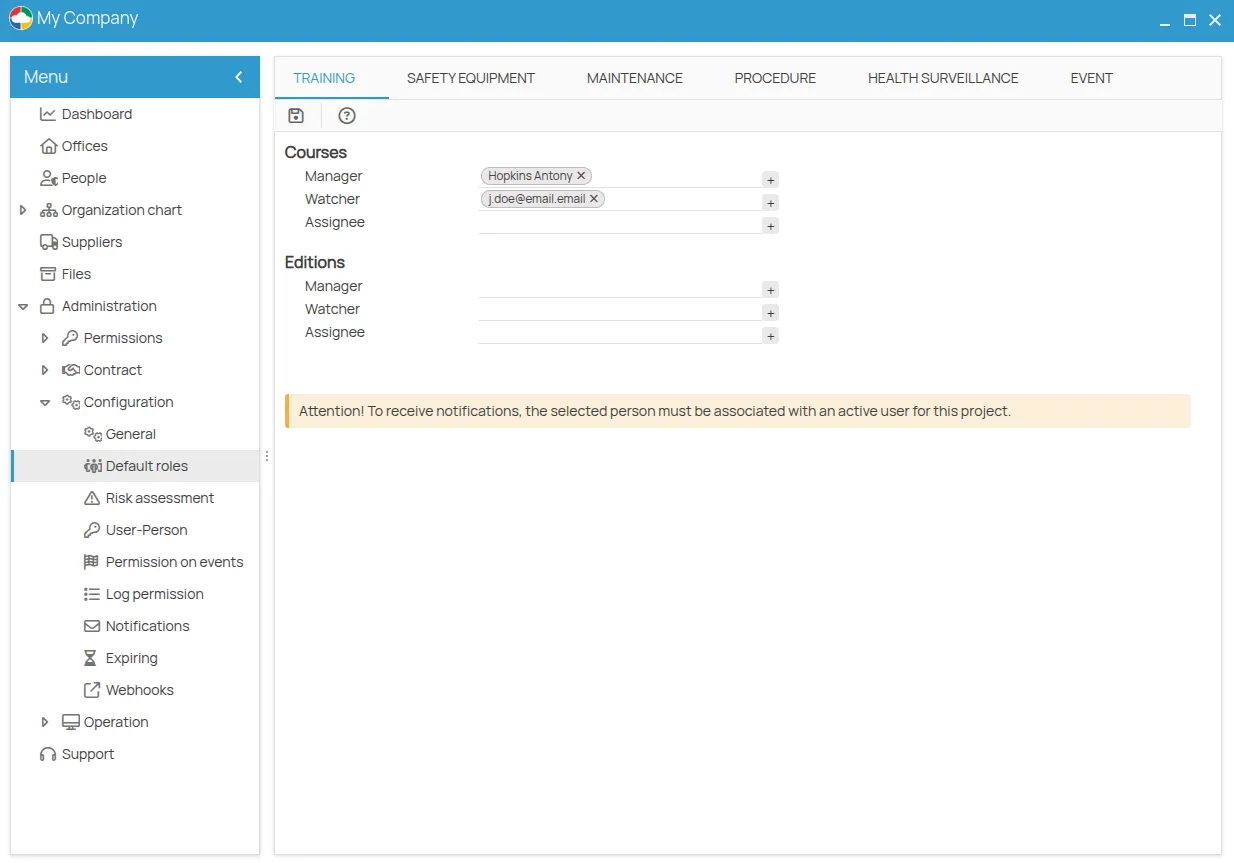
The Default Roles configuration allows you to define the roles of Responsible, Observer, and Assignee, which will be automatically assigned to all new prevention actions (and their sessions) created within the project.
This feature is available in the project menu under: Administration > Configuration > Default Roles.
Overview of Operational Levels
Section titled “Overview of Operational Levels”4HSE distinguishes two operational levels for prevention actions:
- Action Definition — e.g., Course, Equipment, Plan
- Action Planning/Execution — e.g., Edition, Delivery, Order
Default roles can be defined for both levels in all prevention areas:
| Prevention Area | Action (Definition) | Session (Planning) |
|---|---|---|
| Training | Courses | Editions |
| Personal Protection | PPE Equipment | PPE Deliveries |
| Maintenance | Maintenance Plans | Orders |
| Procedures | Procedures | Reports |
| Health Surveillance | Prescriptions | Visits |
Assigning Roles
Section titled “Assigning Roles”To assign a default role to an action or session:
- Open the Default Roles panel.
- Locate the section for the action type (e.g., Training).
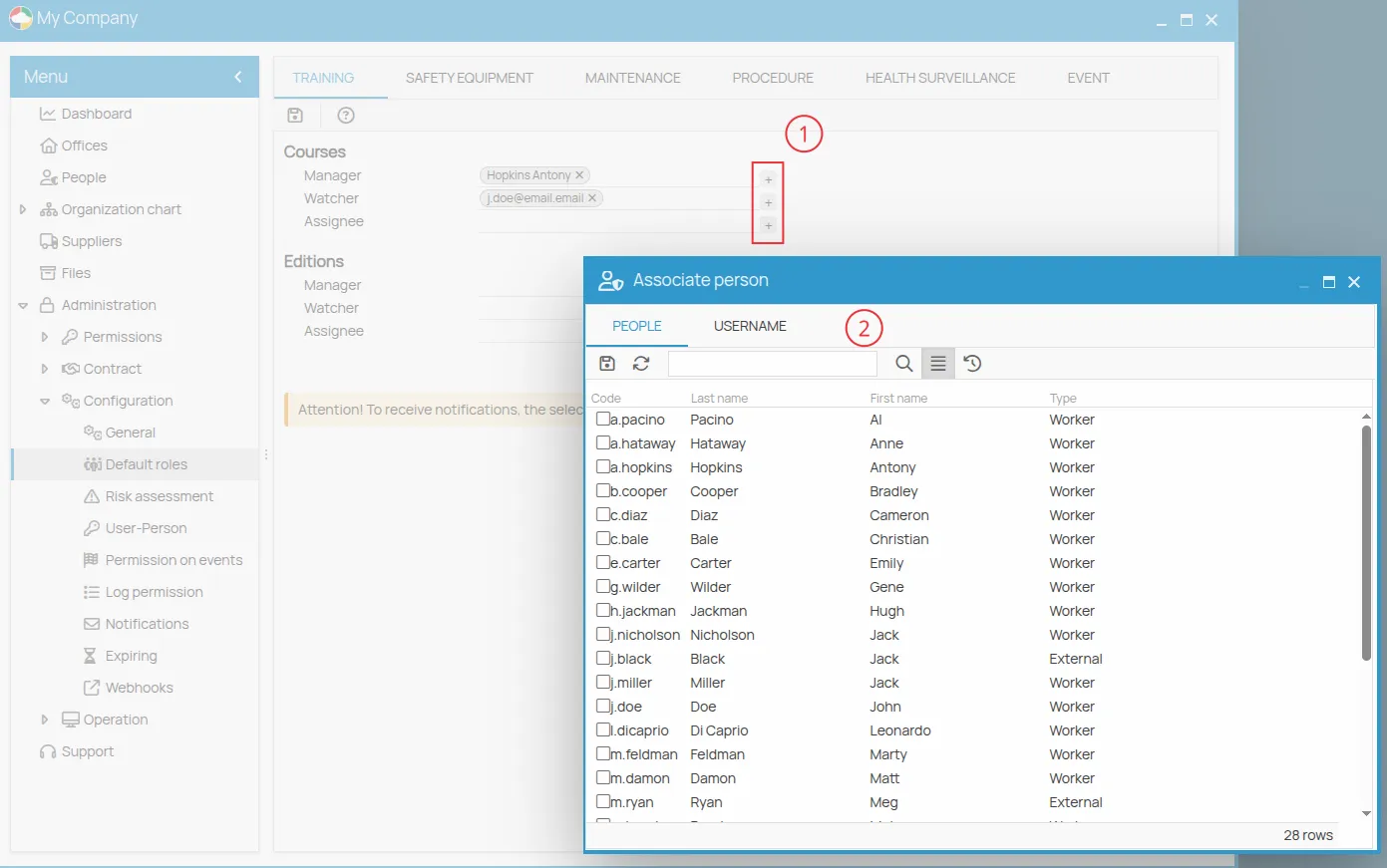
- Click the + button next to the role to assign (Responsible, Observer, Assignee).
- In the selector, you can choose between:
- People registered in the project
- Project users (email)
Receiving Notifications
Section titled “Receiving Notifications”For the selected people to receive role-related notifications (email or digest), they must be associated with an active account within the project.
Alternatively, you can assign a user/email directly to the role.
Modifying Inherited Roles
Section titled “Modifying Inherited Roles”Roles configured in Default Roles act as default values.
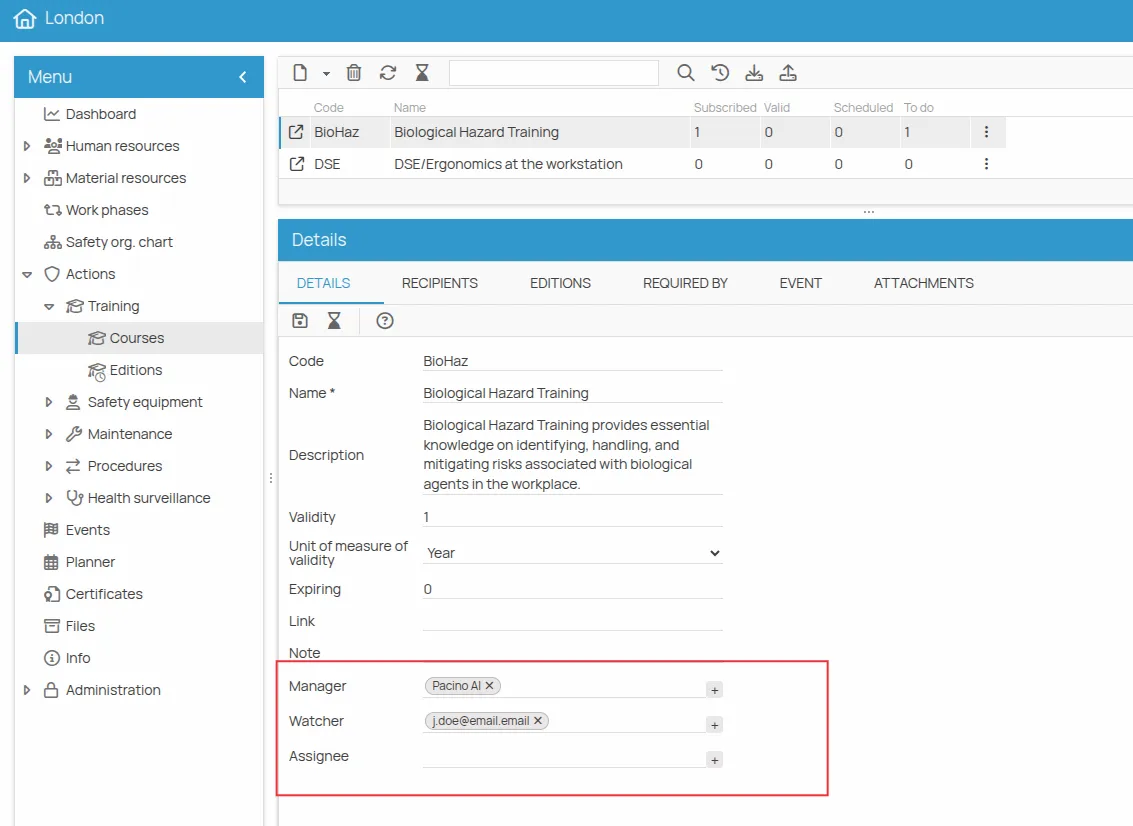
To modify the roles for a single action or session:
- Select the specific action (e.g., a course, a maintenance plan).
- Open the Details panel.
- Modify the Responsible, Observer, or Assignee fields as needed.
Changes made here override the default value only for that specific item.
 Action details in the office menu