

Digest
The digest is a periodic email summary of upcoming or overdue activities. It complements notifications, which are instead single messages tied to one event.
What Can Be Configured in the Digest
Section titled “What Can Be Configured in the Digest”From the user menu, open “User preferences” and go to Digest, where you can:
- Set digest preferences for each section: PPE, training, appointments, maintenance, procedures, and health surveillance;
- Define the time interval for receiving digests;
- Choose the digest frequency (daily, weekly, monthly) and the exact day of delivery.
Simple Configuration
Section titled “Simple Configuration”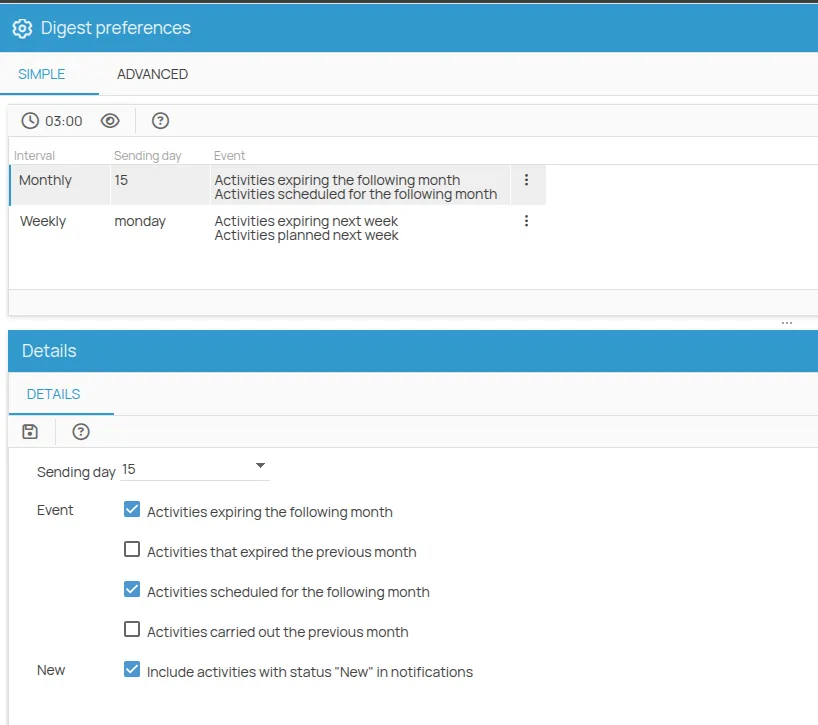
The simple mode allows you to receive a weekly or monthly summary of activities that are due, overdue, or newly created (status “new”), choosing your preferred day of delivery.
For more advanced settings, use the advanced configuration.
Advanced Configuration
Section titled “Advanced Configuration”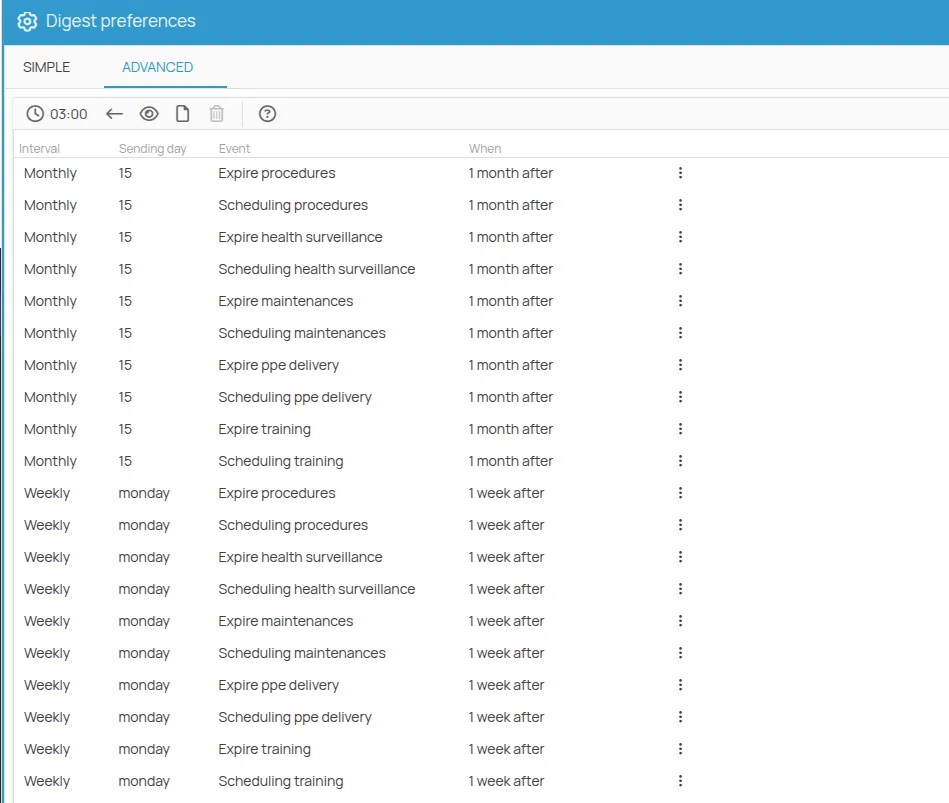
The advanced configuration lets you define:
- Frequency: daily, weekly, or monthly;
- Specific day of the month or week for delivery;
- Event type: upcoming or scheduled activities;
- New: includes registrations with status “New” in the digest;
- Action type: select which actions to monitor;
- When: the time window in which to search for deadlines or scheduled activities to include in the digest;
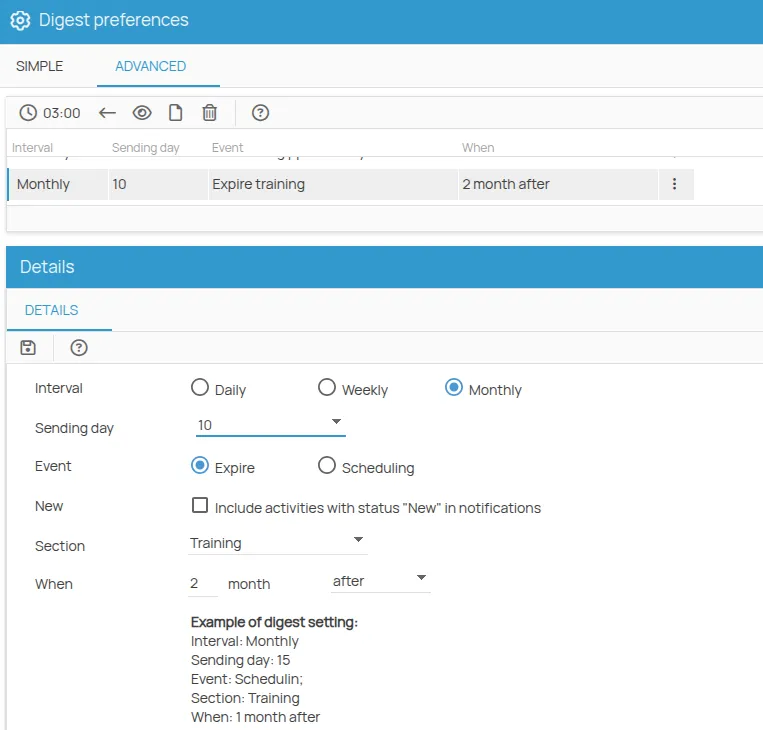
Example: You want to receive a monthly digest on the 10th of each month with deadlines for training actions expiring in the next 60 days. Here is how to fill out the form:
This site is protected by reCAPTCHA and the Google Privacy Policy and Terms of Service apply.