

Configure the digest
The digest is a periodic email summary of upcoming or overdue activities. It is the counterpart of notifications, which are single messages tied to one event: the digest gives you the overall picture, on a schedule you choose.
- From the user menu, open User preferences.
- Go to Digest.
From here you set which sections to include — PPE, training, appointments, maintenance, procedures, health surveillance — the time interval to look at, and how often you want it.
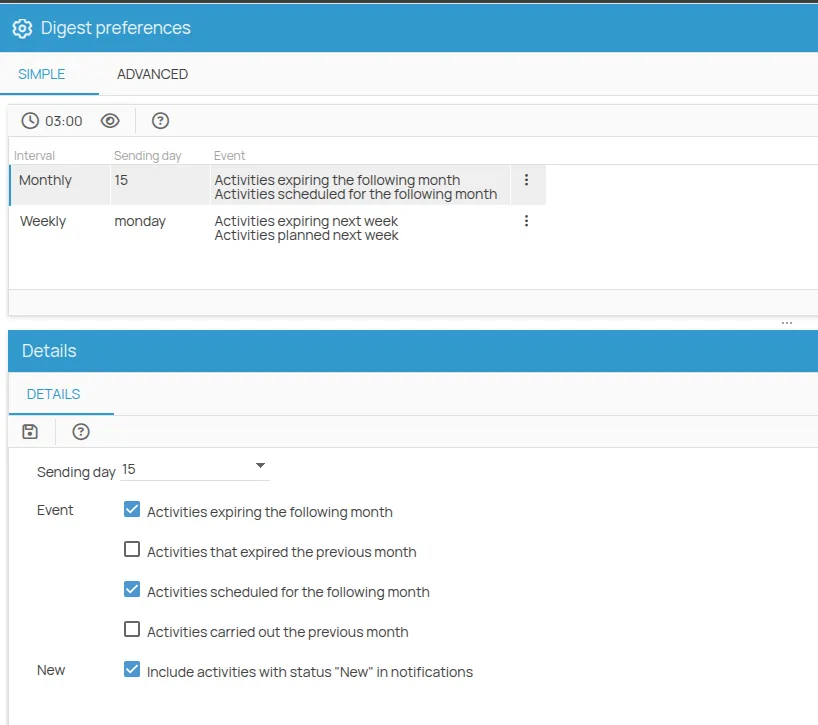
Simple configuration
Section titled “Simple configuration”A weekly or monthly summary of the activities that are due, overdue or newly created, on the day of your choice.
Advanced configuration
Section titled “Advanced configuration”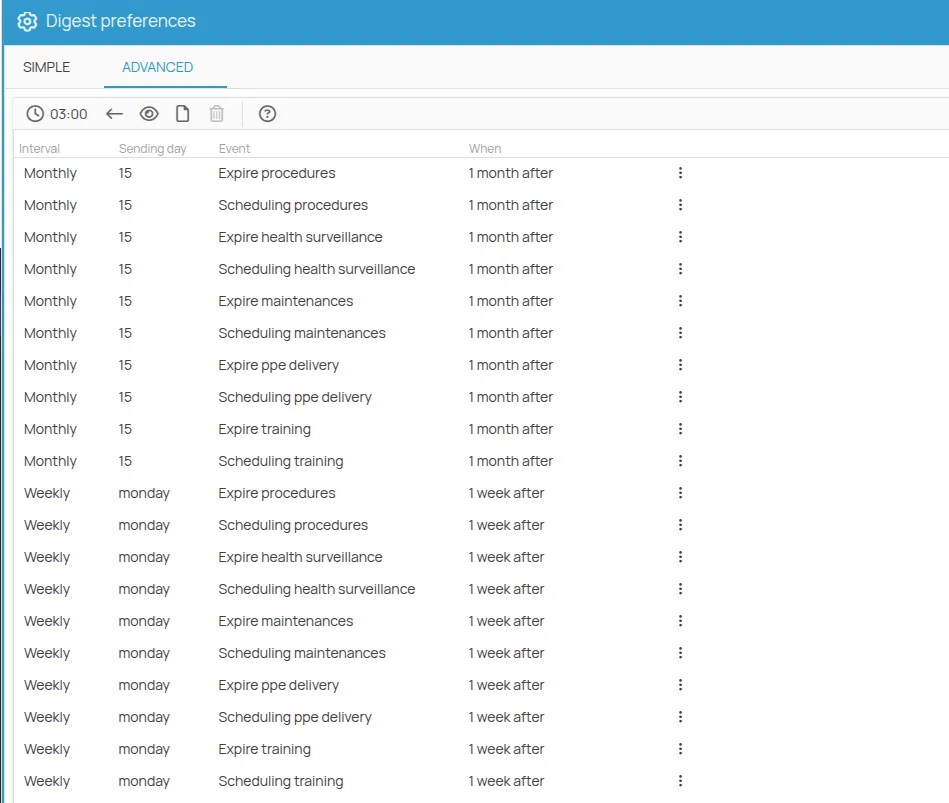
The advanced mode lets you control every parameter.
| Field | What it does |
|---|---|
| Frequency | Daily, weekly or monthly. |
| Specific day | The day of the month or of the week the digest is sent on. |
| Event type | Whether to consider activities that are due or activities that are scheduled. |
| New | Includes records with status “New” in the digest, treating them as activities to regularise. |
| Action type | Which actions to monitor: PPE, training, appointments, maintenance, procedures, health surveillance. |
| When | The time window to search in for the deadlines or the scheduled activities to include. |
The digest is a personal preference: what you set here affects only what reaches you. The notifications sent by the system are configured at project level instead, and follow the role you hold on each action — see Enable notifications.
This site is protected by reCAPTCHA and the Google Privacy Policy and Terms of Service apply.