

Log in to 4HSE
Access to 4HSE goes through a dedicated authentication page. The email address you registered with is what identifies you.
- Open the 4HSE login page.
- Enter your email and your password.
- Tick Remember me to keep the session active on this device.
- Click Login.
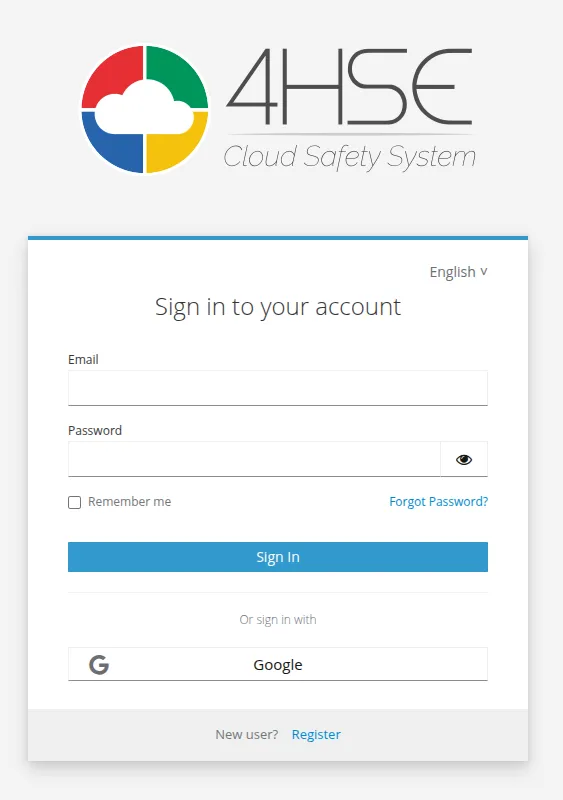
Alternatively, click Or login with… Google to sign in with a Google account.
If you do not remember your password, use Reset your password. Once you are in, you can change it at any time from the account panel.
What is on the page
Section titled “What is on the page”| Element | What it does |
|---|---|
| The address registered on the platform. It is the exact identifier of the user. | |
| Password | The account password. |
| Remember me | Keeps the session active on the current device. |
| Login | Starts the authentication. |
| Or login with… Google | Signs in with a Google account. |
| Forgot password? | Starts the password recovery — see Reset your password. |
| New user? Register | Creates a new account. |
| Language selector | Chooses the language of the interface. |
This site is protected by reCAPTCHA and the Google Privacy Policy and Terms of Service apply.