

Build an advanced checklist
Choose the advanced checklist type when a list of fields is not enough: you need a real layout, duplicated blocks, or behaviour that changes while the form is being filled in.
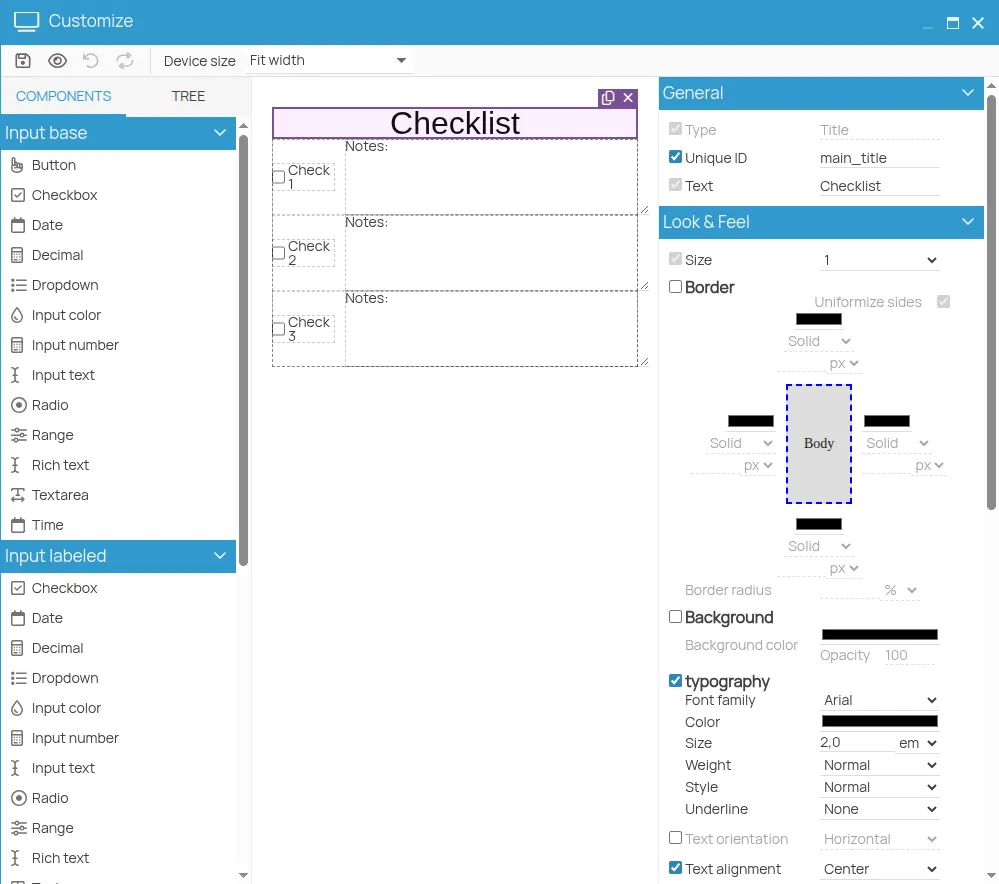
Selecting this type in Configure a form on an action opens the 4HSE Designer, which starts from a predefined checklist template.
- Drag elements into the workspace to compose the form.
- Select an element to open its customisation panel.
- Duplicate elements, or arrange them into layouts, to build tables and structured blocks.
- Configure the dynamic behaviour to apply during completion.
- Save.
The advanced checklist is prompted when a new certificate is created for the action it belongs to.
This site is protected by reCAPTCHA and the Google Privacy Policy and Terms of Service apply.