

Assess a risk
Assessing means giving the risk two values: what it is worth before the measures, and what it is worth after. The hazard must already be present in the phase and the risk must exist — see Link sources, hazards and risks to a phase.
Give the initial value
Section titled “Give the initial value”The work phase is in the office menu, under Work phases.
- Open the work phase and go to the Risks tab.
- Click the Risk assessment button inside the risk entry. The PxD matrix opens.
- Enter the initial probability and the initial damage. Their combination is the initial risk.
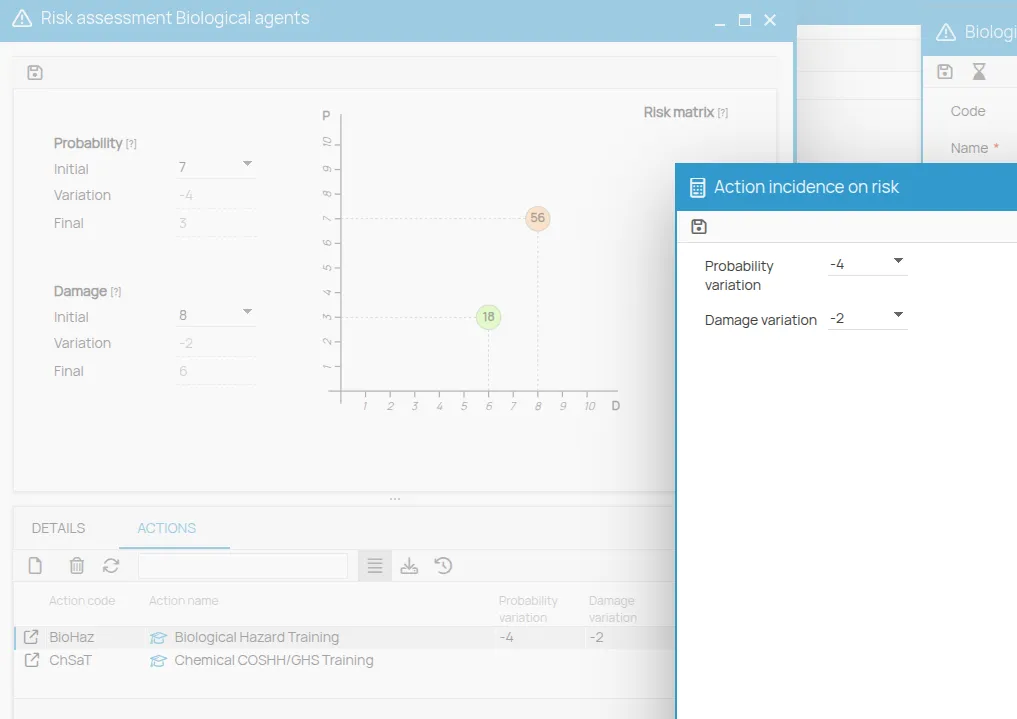
Measure the effect of the measures
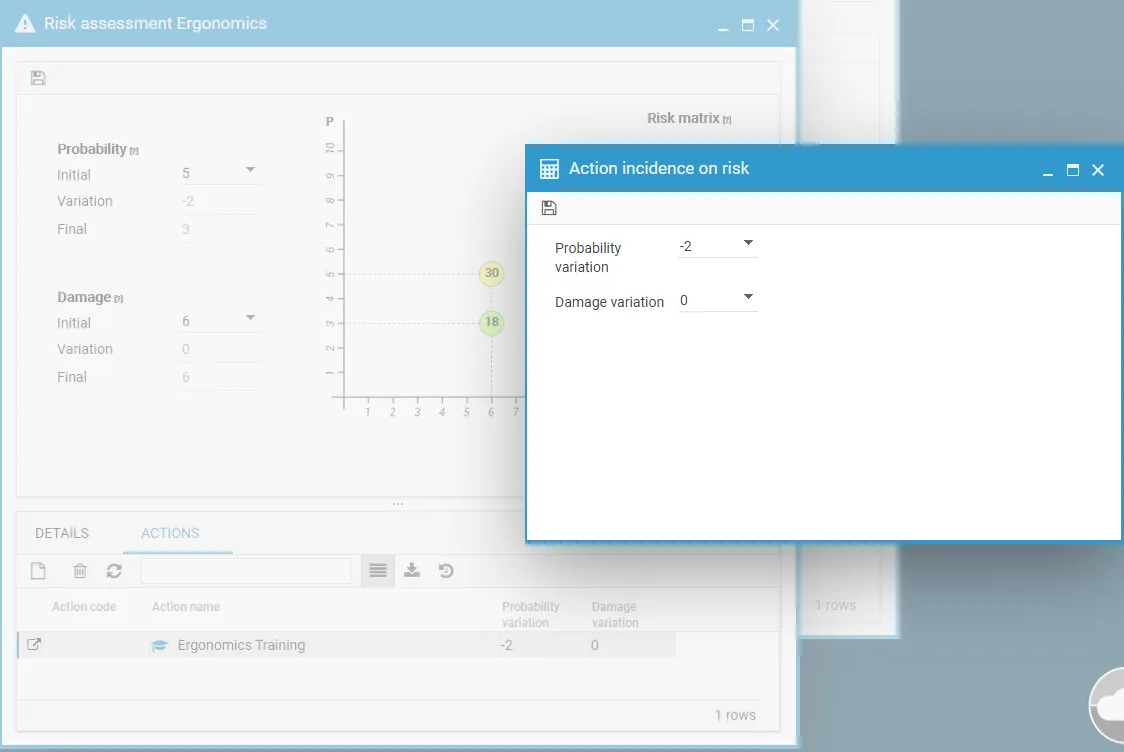
Section titled “Measure the effect of the measures”Each mitigation action linked to the phase can be given an impact on probability and on damage. The combination of the initial values and those impacts produces the residual risk.
- Click the Actions tab at the bottom of the matrix.
- Click New and select the action.
- Set its impact values for probability and damage.
- Click Save.
The Risks tab of the phase now shows three values for that risk: initial, variation and final.
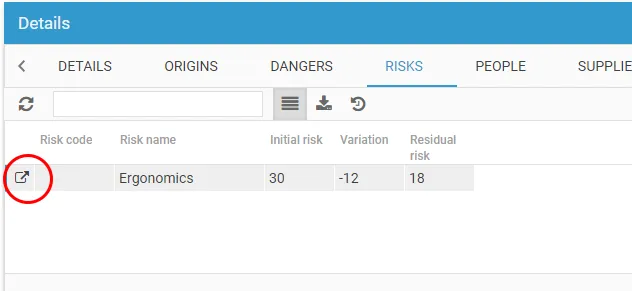
To change the values later, double-click the row or open it in a new window.
For the scales, the colours and the priorities, see The PxD matrix.
This site is protected by reCAPTCHA and the Google Privacy Policy and Terms of Service apply.