

Create an action
An action defines a safety obligation and its validity over time — see Prevention and protection actions. The procedure is the same for all five types; only the name of the menu changes, as listed in Terminology by action type.
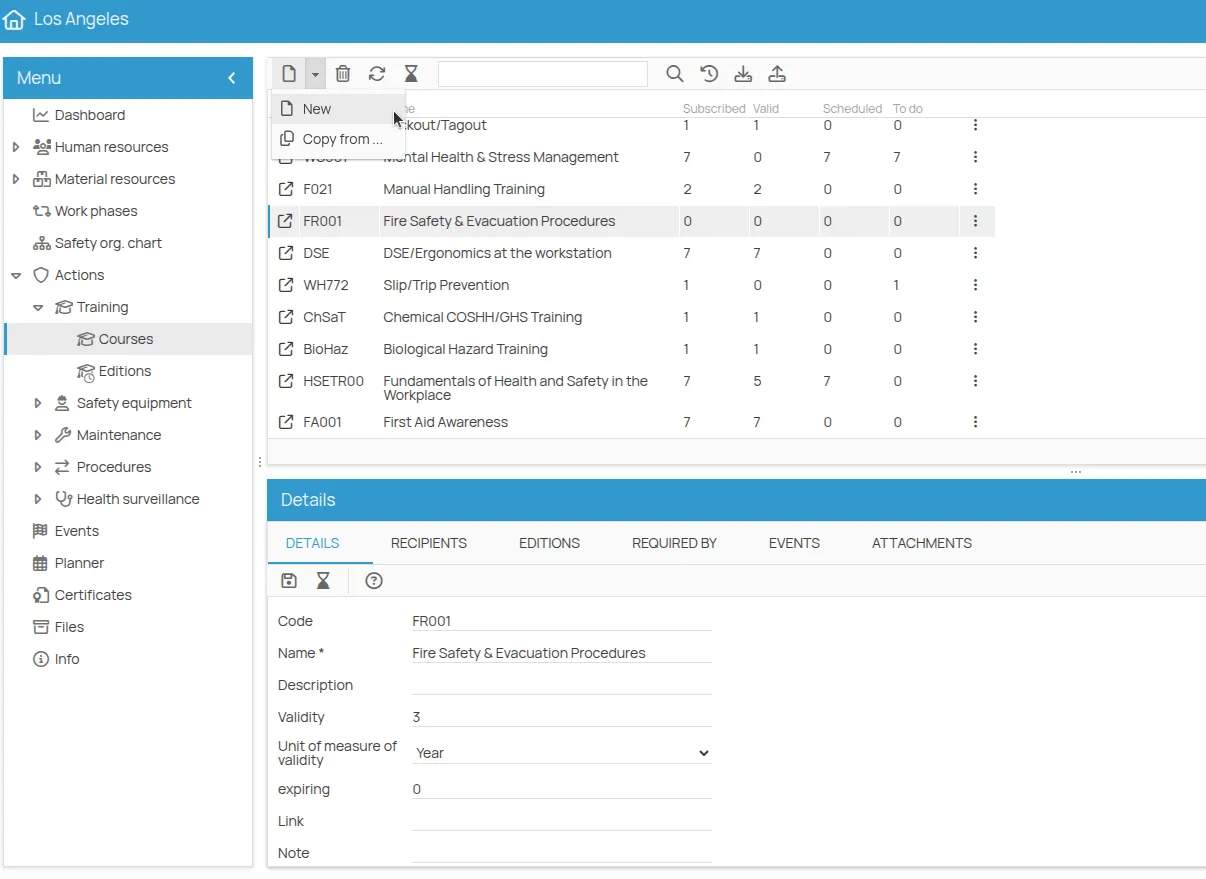
- Open the office and go to Actions, then the menu of the type you need.
- Select the definition level (Courses, Prescriptions, Plans, PPE equipment, Procedures).
- Click New and choose how to create it:
- New — configure it from scratch;
- Copy from — duplicate an existing one and adjust it.
- Fill in the required fields. The mandatory ones are marked with a red asterisk.
- Click Save.
The new row appears in the list with all indicators at zero. If you do not see it, click Refresh in the toolbar.
Next: Manage an action to set its validity and the people responsible for it.
This site is protected by reCAPTCHA and the Google Privacy Policy and Terms of Service apply.