

Generate the verification QR code
The QR code is available for three kinds of material resources: equipment, substances and work environments. You generate it from the resource detail, once the resource has been saved.
- In the site, open Material resources and choose Equipment, Substances or Workplaces.
- Open the resource detail.
- Click the Verification QR button in the toolbar.
4HSE generates a secure, temporary verification link and shows the corresponding QR code together with its expiry.
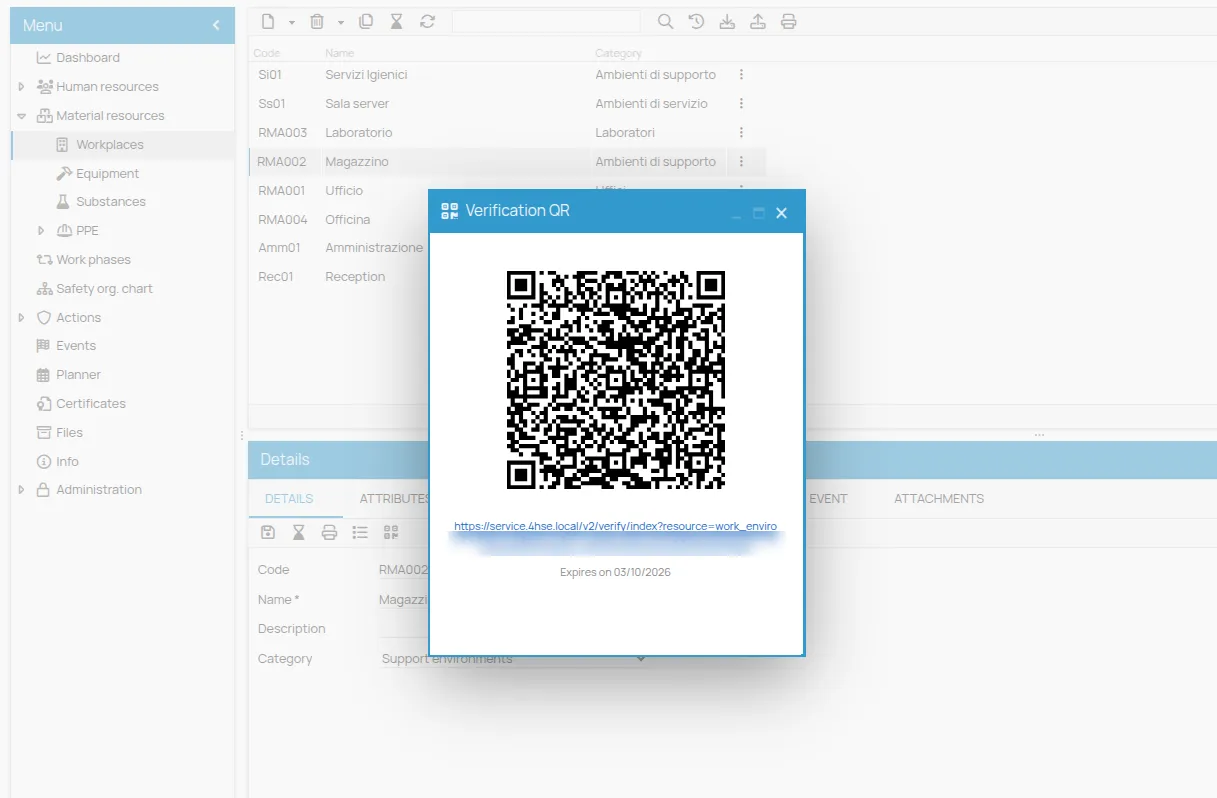
You can show the code on screen or share the link. For a QR code to attach to the resource itself, use the badge: see Print a resource badge.
The link is valid for 24 hours. When it has expired and you need to share the resource again, generate a new QR from the same button.
This site is protected by reCAPTCHA and the Google Privacy Policy and Terms of Service apply.