

Print a resource badge
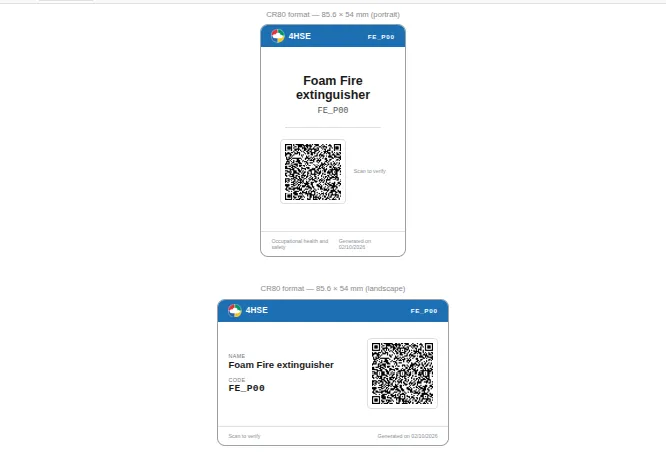
The badge is the physical label of a material resource: it carries the name, the code and a QR code that opens the public verification page. It is available for equipment, substances and work environments.
- Open the resource detail.
- Click the Print icon in the toolbar.
- Choose the Material resource badge (QR) template among the 4HSE templates: see Choose a template.
- Click Next to open the preview, then print or export the document as described in Print or export a document.
The sheet contains the badge in two versions, portrait and landscape, in card format. Each one shows the resource name, the code if one has been entered, the QR code and the generation date.
The badge QR stays valid for two years from the generation date. Once it has expired, the verification page shows an expired-link message and the badge must be reprinted.
This site is protected by reCAPTCHA and the Google Privacy Policy and Terms of Service apply.