

Run and fill in a widget
A widget is a file in the 4HSE file system, with the .hf extension. Running it means
opening a fresh copy to fill in.
- Open the file system and find the widget.
- Double-click the file.
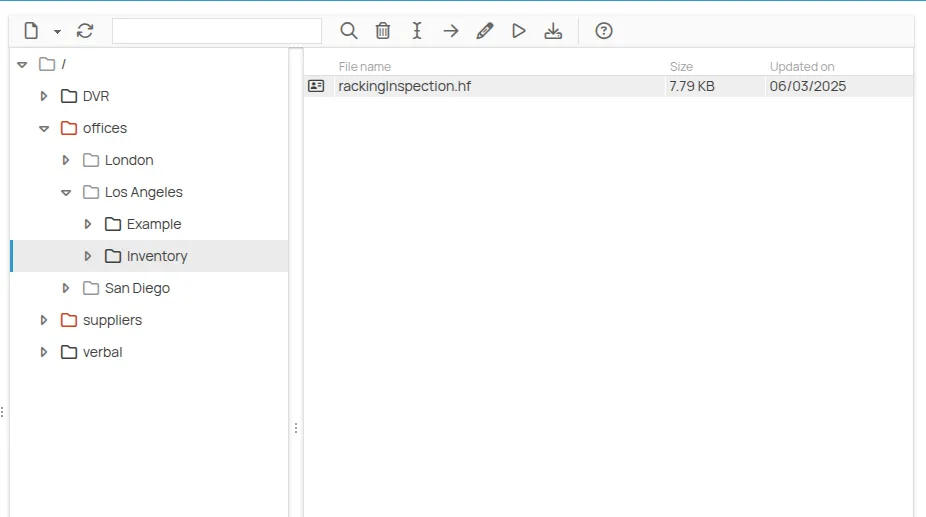
The widget opens in a new window. From there you can fill in the form, save it or print it.
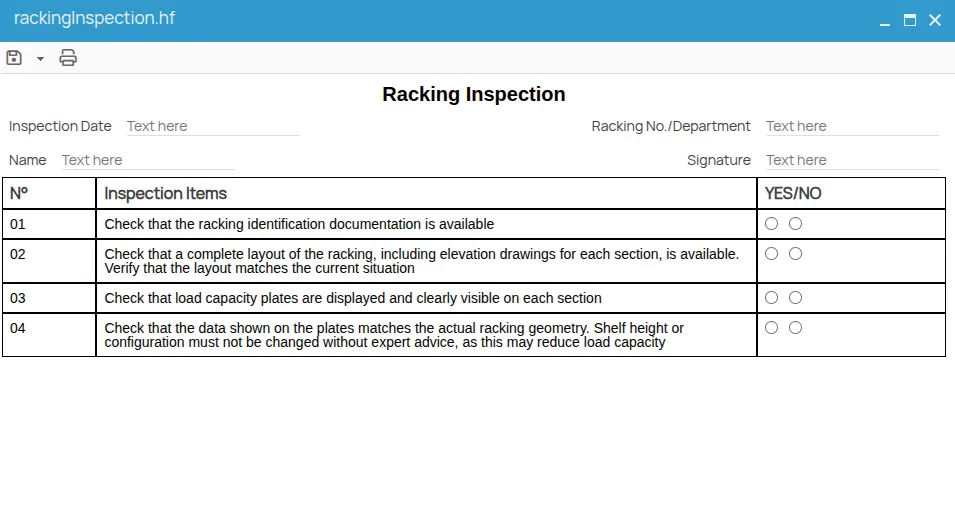
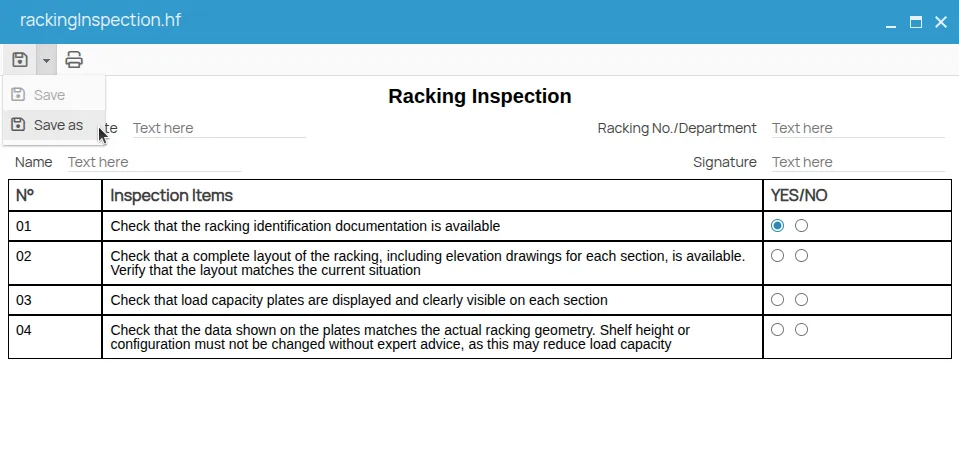
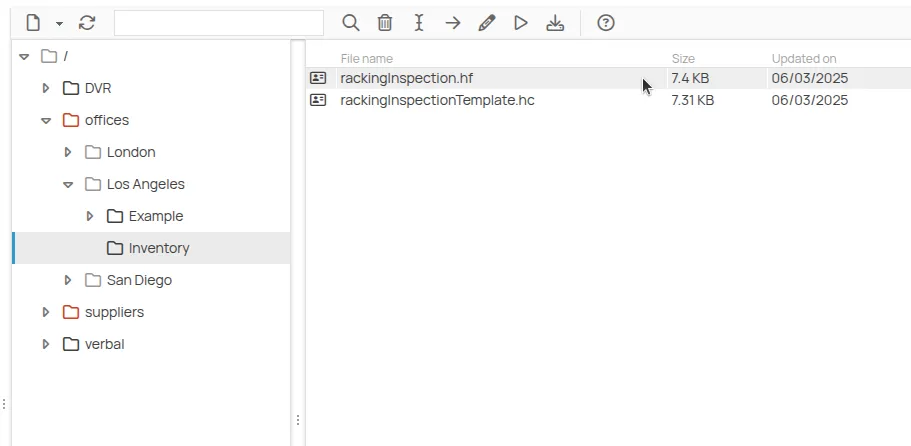
Every time you run the file — even the same one — it is like opening a new instance. Saving a
completed widget creates a new file with the .hc extension: that file is your filled-in
copy, and you can reopen and edit it later, or create another one by running the original
.hf again.
The .hf and .hc files
Section titled “The .hf and .hc files”| Extension | What it is | What you do with it |
|---|---|---|
.hf | the widget template | run it as many times as you need; edit it in the editor |
.hc | one completed copy | reopen it to change the data, or print it |
Both live in the 4HSE file system, in the folder where you saved them.
Which means:
- one template can produce any number of completed copies;
- editing the
.hfdoes not change the.hcfiles already saved; - deleting the
.hfdoes not delete the copies produced from it.
This site is protected by reCAPTCHA and the Google Privacy Policy and Terms of Service apply.