

The permission system
Security is a priority in 4HSE, and access control is built to be precise: each user reaches only the information and the functions that concern them.
The system is designed for real situations, which are rarely simple. A project user can see every office, supplier and person linked to that project without anyone assigning permissions one by one. If the same user is later added to the office group Health surveillance manager, they gain write access in that functional area of that office — without losing or duplicating anything else.
Groups, not individual permissions
Section titled “Groups, not individual permissions”You never assign a permission. You assign a user to a group, and the group carries a predefined set of permissions. This is the whole model, and it is why permissions in 4HSE stay manageable as the organisation grows.
Permissions are managed in the Administration section, under Permissions, which has two sub-menus:
- Groups — the predefined roles of that entity. Selecting one shows the users it contains, and you add or remove them by email address.
- Users — everyone who has access to that entity through a direct assignment.
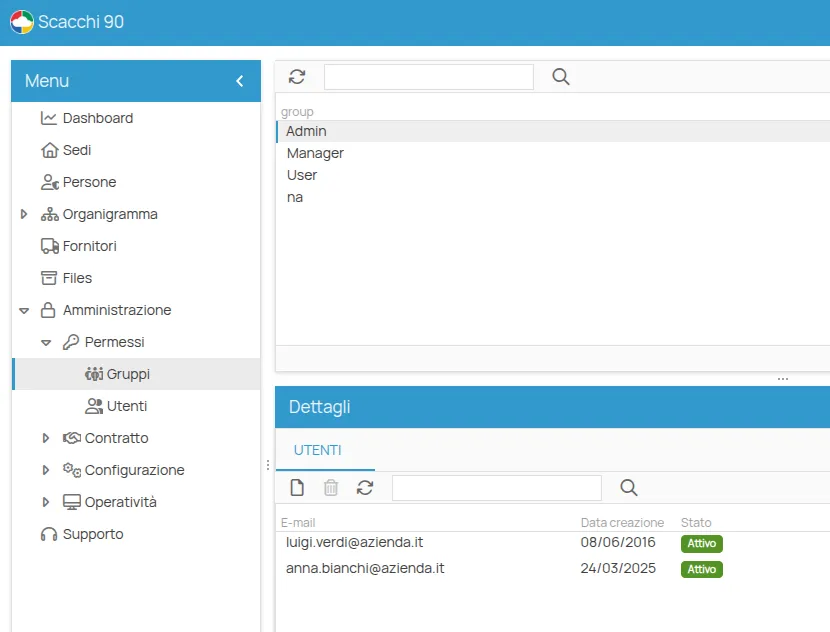
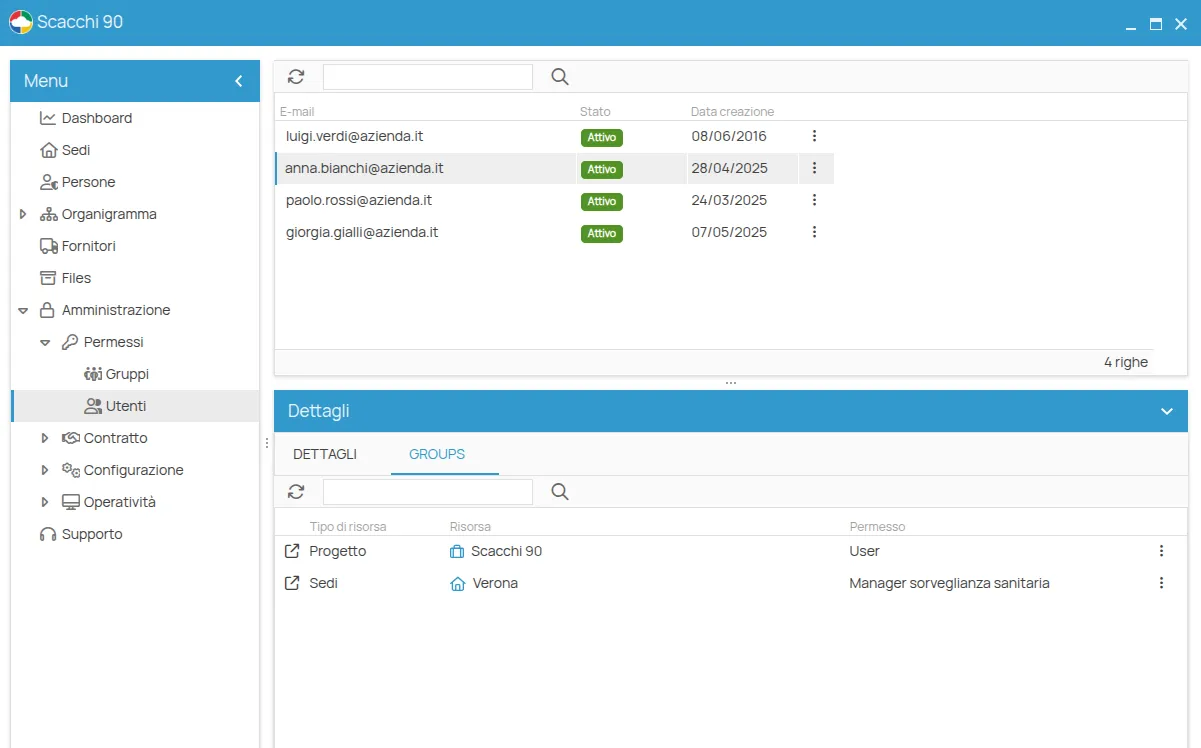
The entities that carry permissions
Section titled “The entities that carry permissions”Permissions are not global: they are set on an entity, and they follow the relations of that entity.
| Entity | What it governs | Reference |
|---|---|---|
| Project | the main level; what is set here cascades down | Project groups |
| Office | a workplace, with permissions per functional area | Office groups |
| Person | access to an individual’s data | Person groups |
| Supplier | access for and to external suppliers | Supplier groups |
| Multi-company panel | users working across several projects | Multi-company groups |
Two ways to obtain access
Section titled “Two ways to obtain access”A user reaches an entity in two ways: by direct assignment to one of its groups, or indirectly, because they are assigned to a related entity. The distinction explains why a user can operate on a project without appearing in its user list — see Direct and indirect access and Permission inheritance.
This site is protected by reCAPTCHA and the Google Privacy Policy and Terms of Service apply.