

Add a PPE to the registry
The registry describes the device; the pieces available are then recorded in the inventory. See Material resources.
You need the manager role on the office or on the Personal protection area (see Office groups).
- Open the office and, in the Material resources → PPE menu, choose PPE.
- In the toolbar, open the New menu and choose New.
- Enter the Name, which is required, and the Code and Description if needed.
- Choose the Category (I, II or III) and type the Type, for example Head protection.
- Under Use, tick the intended modes: Disposable, Mixed use, Personal use.
- Click the Save icon (a floppy disk).
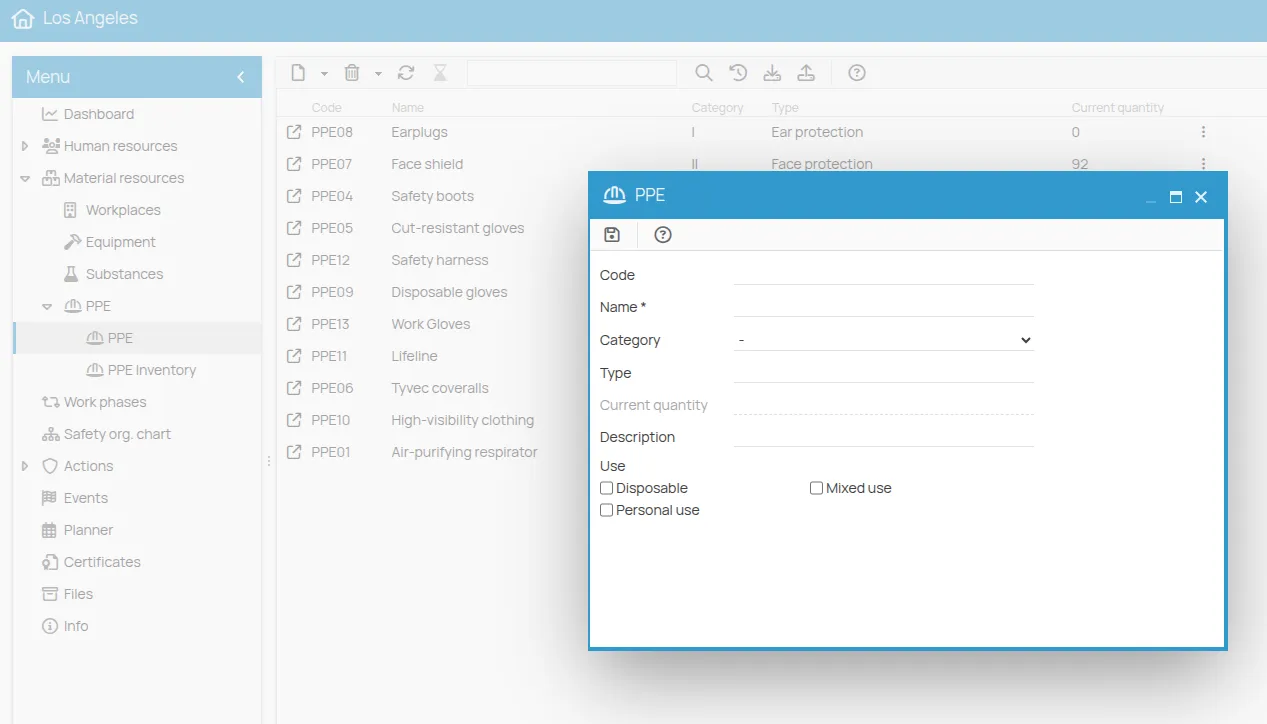
The Current quantity field is not filled in: it is the sum of the quantities available in that PPE’s inventory. To record the pieces, see Inventory a PPE.
With Copy from … and Create from template, in the New menu, PPE can be copied from another office or from the template projects: see Copy an element.
This site is protected by reCAPTCHA and the Google Privacy Policy and Terms of Service apply.